AVIONICS PANEL
All the common MACE Role Player functions, all in one place.
A video demonstration of Avionics Panel
This product is only available to existing MACE owners! This is not Separate software. it augments the mace you own!
AVIONICS PANEL CAN BE USED REMOTELY ON A CONNECTED DEVICE, OR AS A NATIVE mace THIRD PARTY PLUGIN.
US$1500
Per license. Discount available for multiple licenses per purchase. Click HERE to message DEFIANTXR and confirm if your version of MACE can support Avionics Panel.
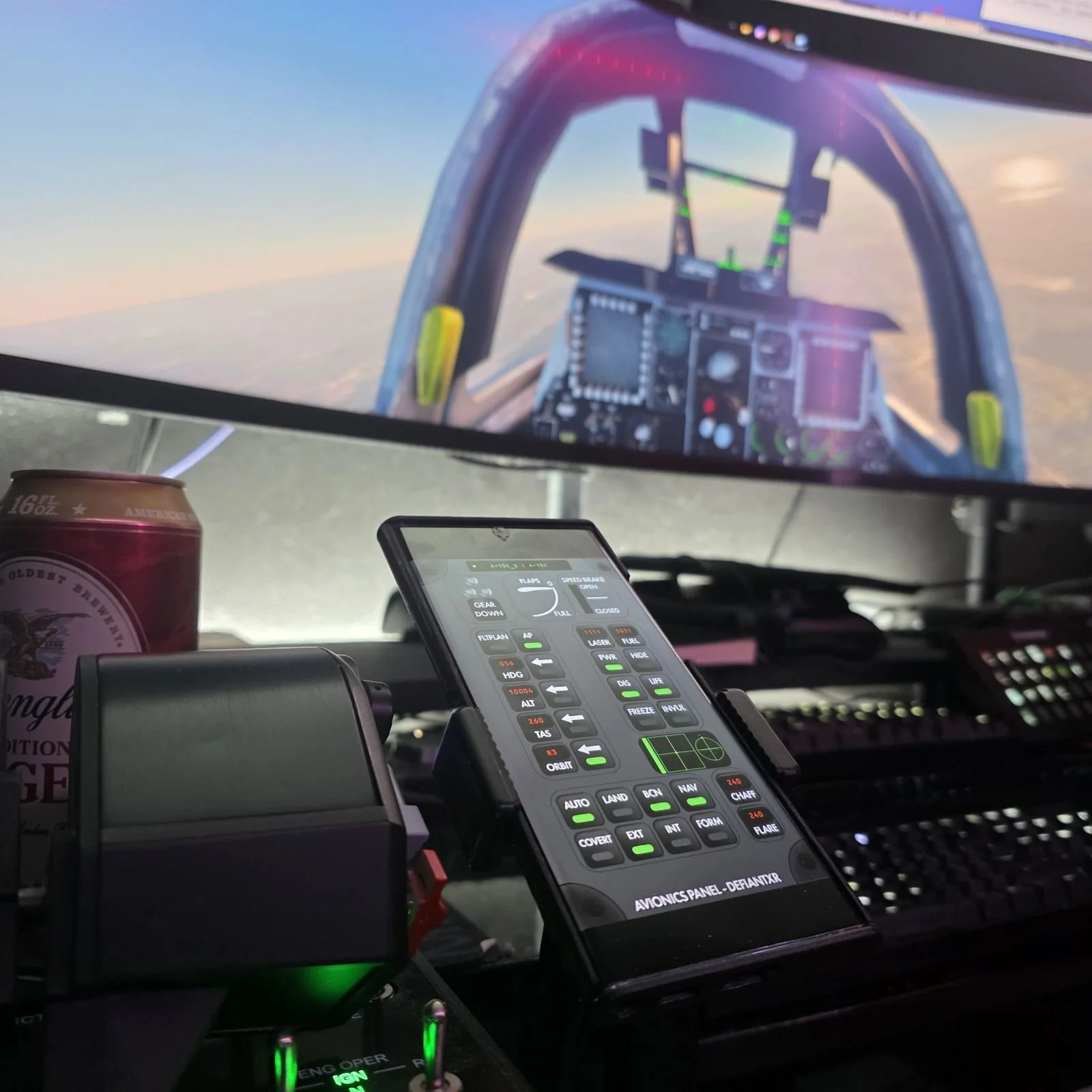
Avionics Panel on an Android phone’s browser, next to the throttle.
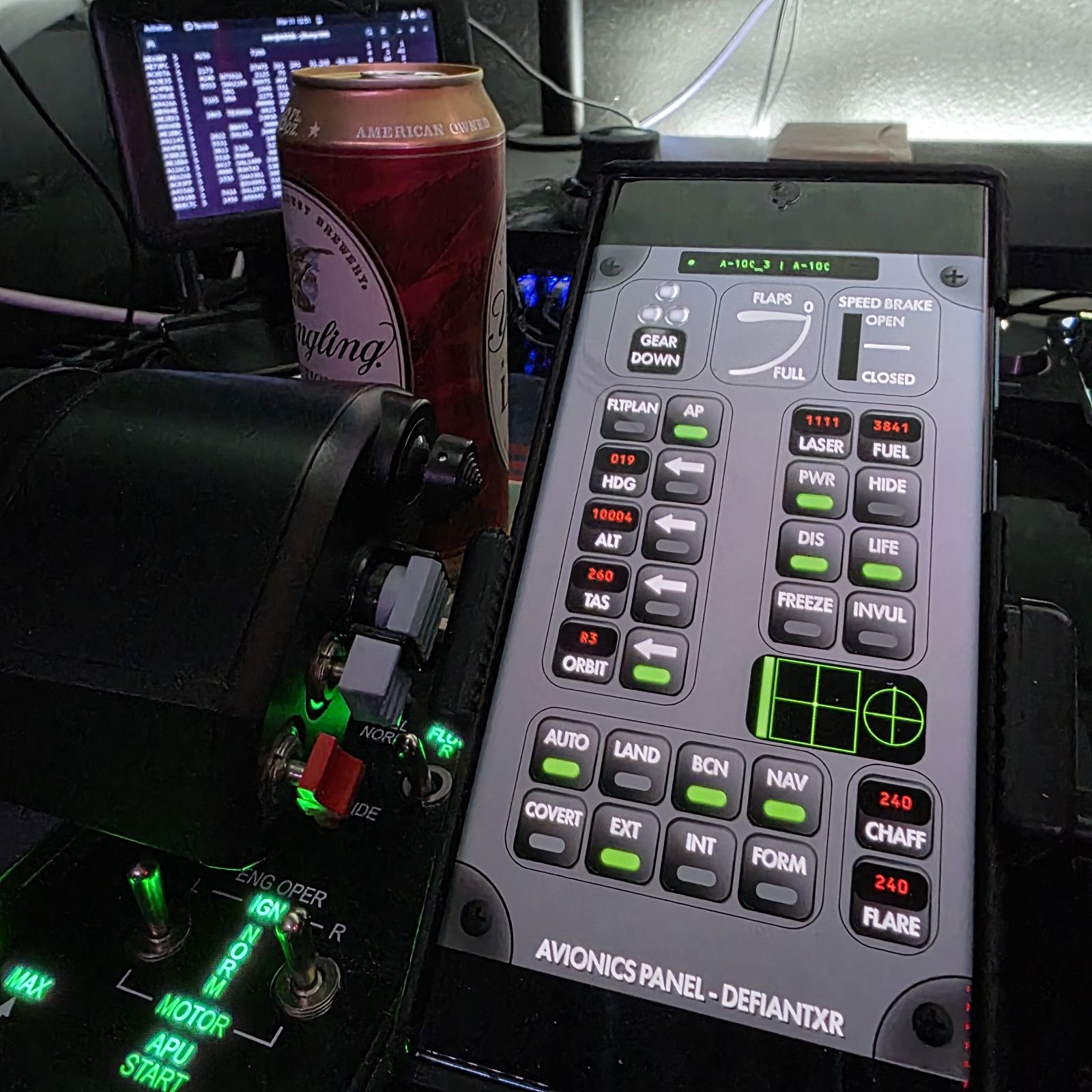
If you’ve ever looked at the “Properties” window on an entity in MACE, you have a lot of options. When the scenario gets active, you don’t have time to hunt for them. If you’ve ever allowed someone new to flying get in a role player sled to fly, you find yourself reaching across them to adjust things for them. With Avionics Panel, flying an aircraft is much simpler! All the most commonly used features are condensed into one application!
You can either run this on a phone next to your throttle, on a touch screen monitor as a native MACE plugin, on a tablet observing a pilot in a role player station, or, if your network is able, from across the country!
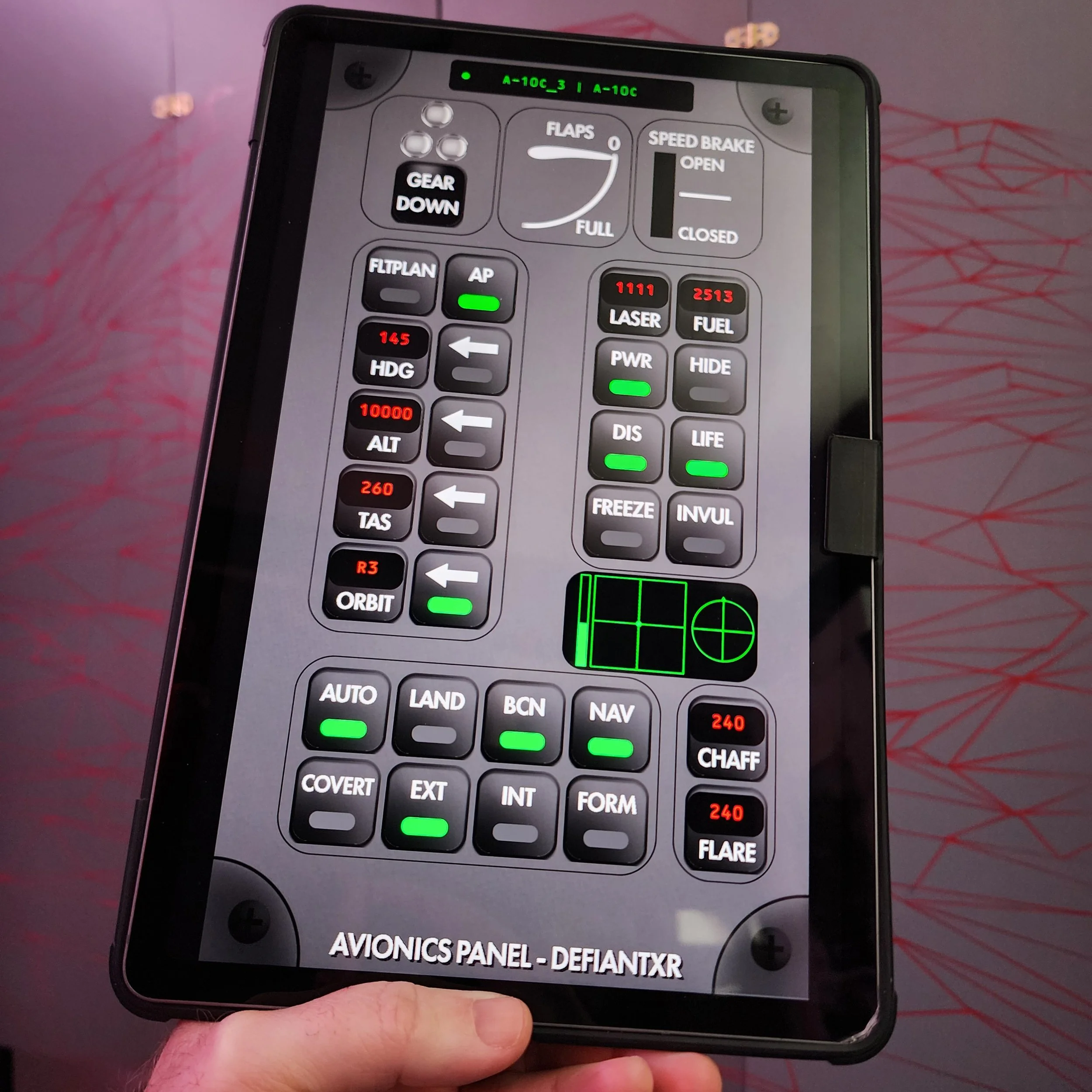
Avionics Panel used on an Android tablet.
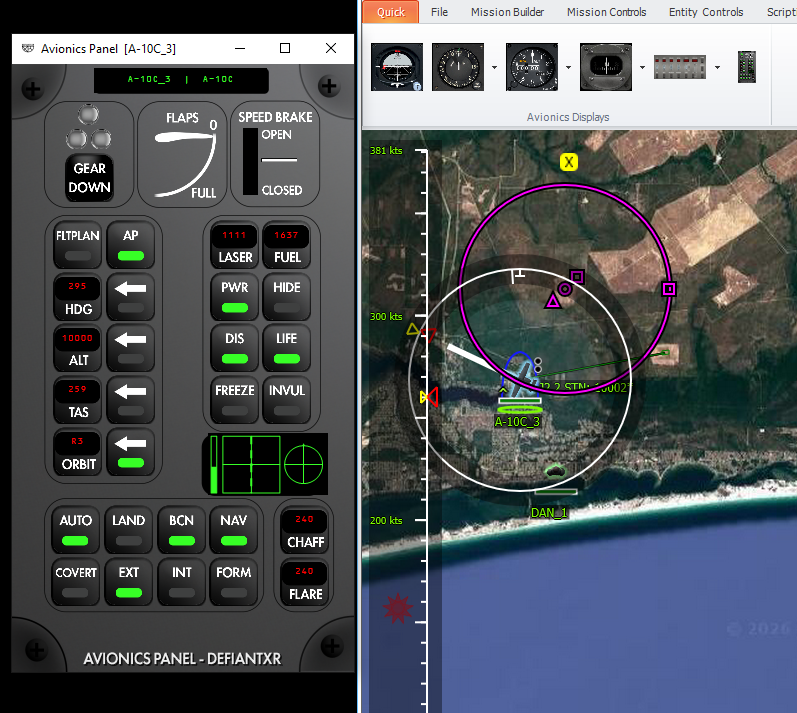
Avionics Panel as a native MACE plugin.
What can Avionics Panel do?
See Landing Gear status and cycle Landing Gear.
See Flaps status.
See Speed Brake status.
See Tiltrotor angle.
Easily check Aircraft and Callsign.
Return to Intent.
Set Delta Mode on a Heading.
Set Altitude in all Maneuver Modes
Set Speed in all Maneuver Modes.
“Wheel” the Aircraft at any time.
Set Laser code.
Set Fuel Weight.
Power the Entity.
Set Concealed state of the Entity.
Toggle DIS active state.
Resurrect Entity when dead.
Toggle “Movement Frozen” state.
Toggle Entity Invulnerability.
Control Aircraft lights.
Reload Chaff and Flares to existing hardpoints.
See state of Joystick, Throttle, Trim, and Rudder!